In my last post, I was already having a lot of fun with coding agents scattered across terminal windows. A friend introduced me to Herdr, a multiplexer for coding agents, and I went a little further down that rabbit hole.
What fascinates me most about working with coding agents is the feeling of parallelizing myself by having agents work on multiple tasks and projects at once. I’ve been exploring this lately and refining my work environment to accommodate this new way of producing software.
My current terminal stack is Ghostty → tmux → Herdr.
Where all the agents go
I have one orchestrator per repo. That’s the agent I talk to when I’m deciding what to work on. It hands off tasks to agents in child workspaces, each with its own Git worktree and branch. This way I can have N agents changing the same repo in parallel without touching one another’s checkouts.
Here’s what a couple of my projects look like in Herdr.
Herdr
├── Lounge
├── project-1
│   ├── feature-a
│   └── feature-b
└── project-2
    ├── feature-c
    └── feature-d
The Lounge is where I go when I have ideas or concerns and want to chat with different AIs about them. Once an idea turns into a feature or project, I can go back to my active workspaces and keep developing it.
Three panes per feature
I keep the same three-pane layout across worktrees. For UI work, I ask the agent to generate a collage demonstrating the new feature. I can glance at the collage to see what’s going on when I’m switching contexts a lot. I also point terminal-browser at a localhost preview of the current feature in case I want to take a look at the whole site. All without ever leaving the terminal!
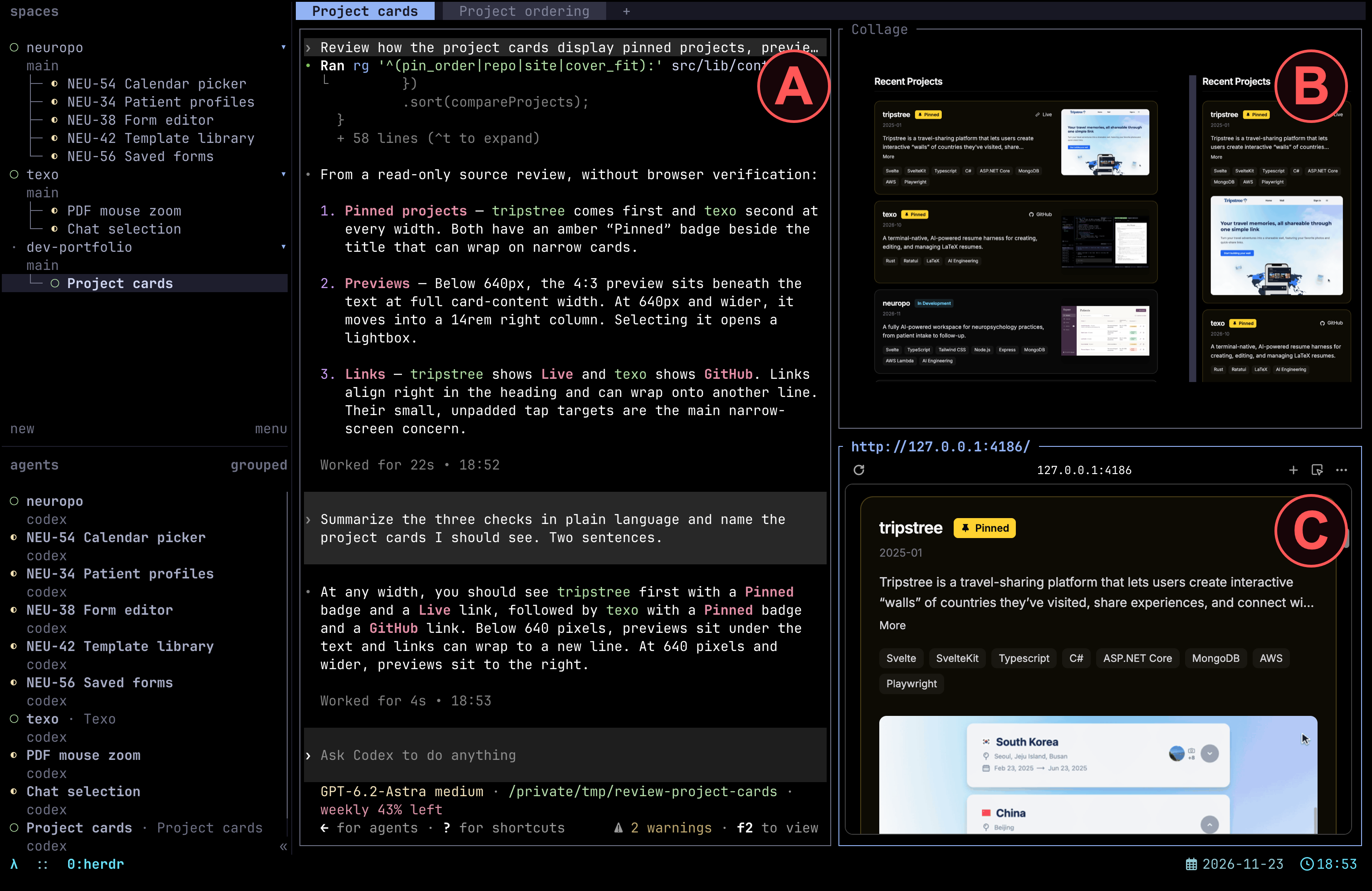
- A Coding agent
- B Screenshot collage
- C Localhost in the terminal browser
The collage shows my portfolio's project cards at desktop and mobile widths. In the sidebar, five agents are reviewing changes to one of my projects, and two more are working on another project's PDF zoom and chat selection features.
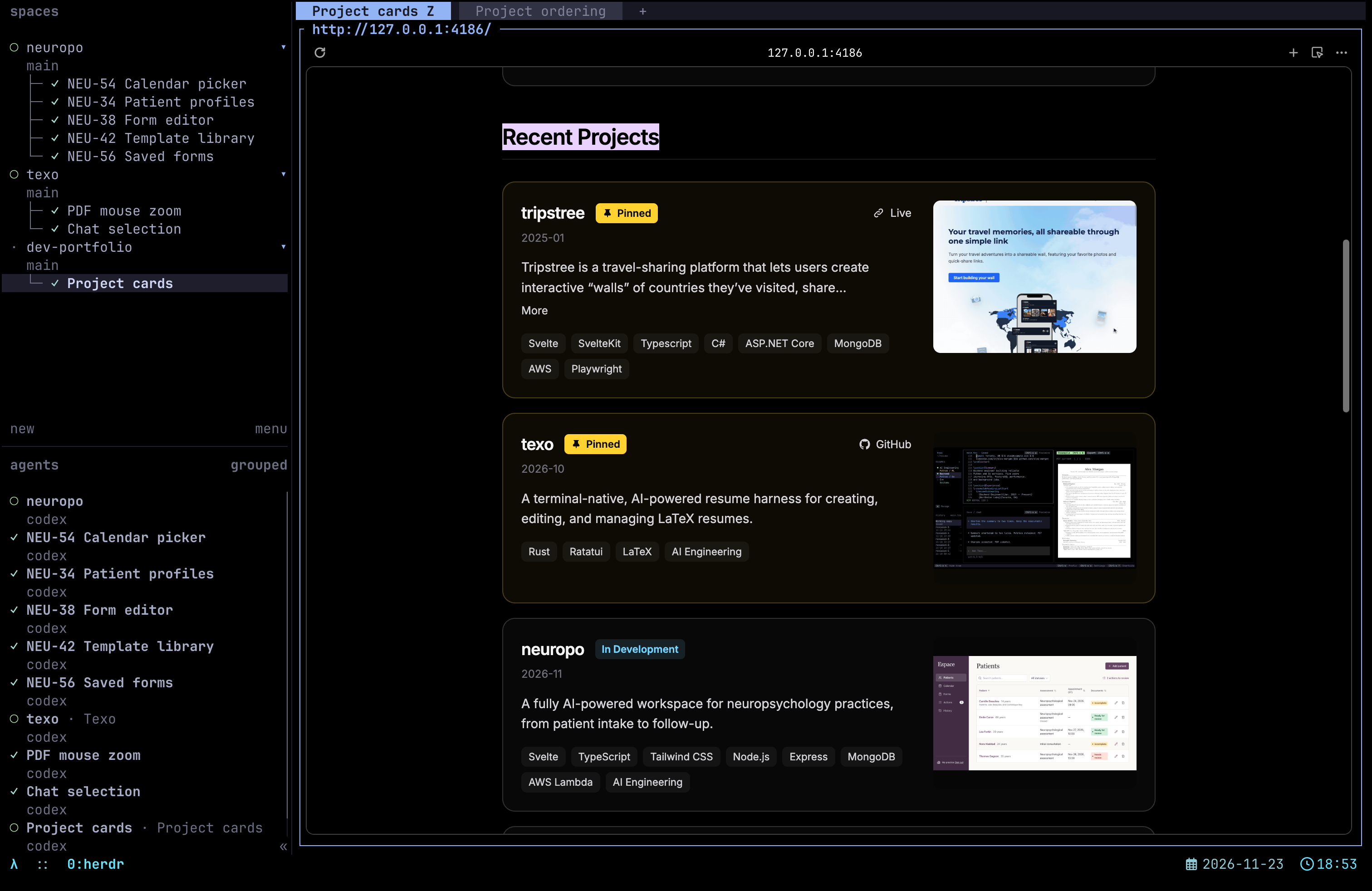
If I want a closer look, I focus the browser or the collage and hit Prefix, then z. The same shortcut brings the split back.
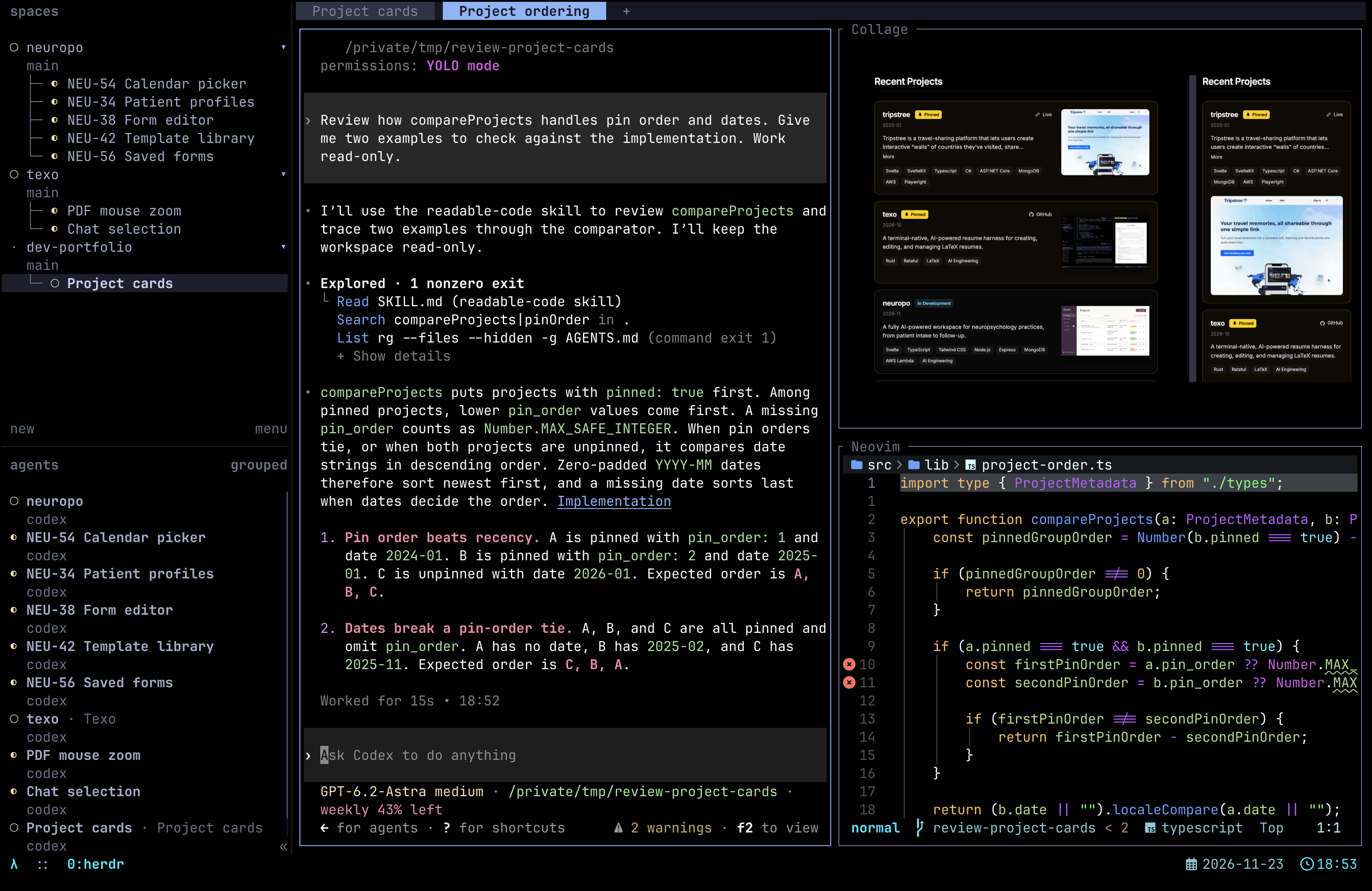
For non-UI work, the agent and collage stay in the same spots. I open Neovim in the bottom-right pane so I can read the diff or get into the code myself when need be.
What’s next?
The terminal browser still feels a bit slow inside my setup. I’m working on a local fork to make it respond faster.
I really didn’t expect arranging my terminal to be this much fun. A small change like giving each feature its own preview helps me find the feature when I run the app. Even a simple picture collage tells me what a branch is about at a glance when I’ve got a lot going on in Herdr. I’m excited to see what new tools I’ll work into my setup over the next few months.

Responses
Loading responses…